
New · myFHC 1.0.3

Your whole workday,
in one app.

Shifts, patient visits, notes, licenses and your team — together on your phone. myFHC is free for nurses and caregivers in Florida, whether or not you take assignments with us.

Download on the App StoreGet it on Google Play
  • Free
  • iPhone & Android
  • Same account on the web
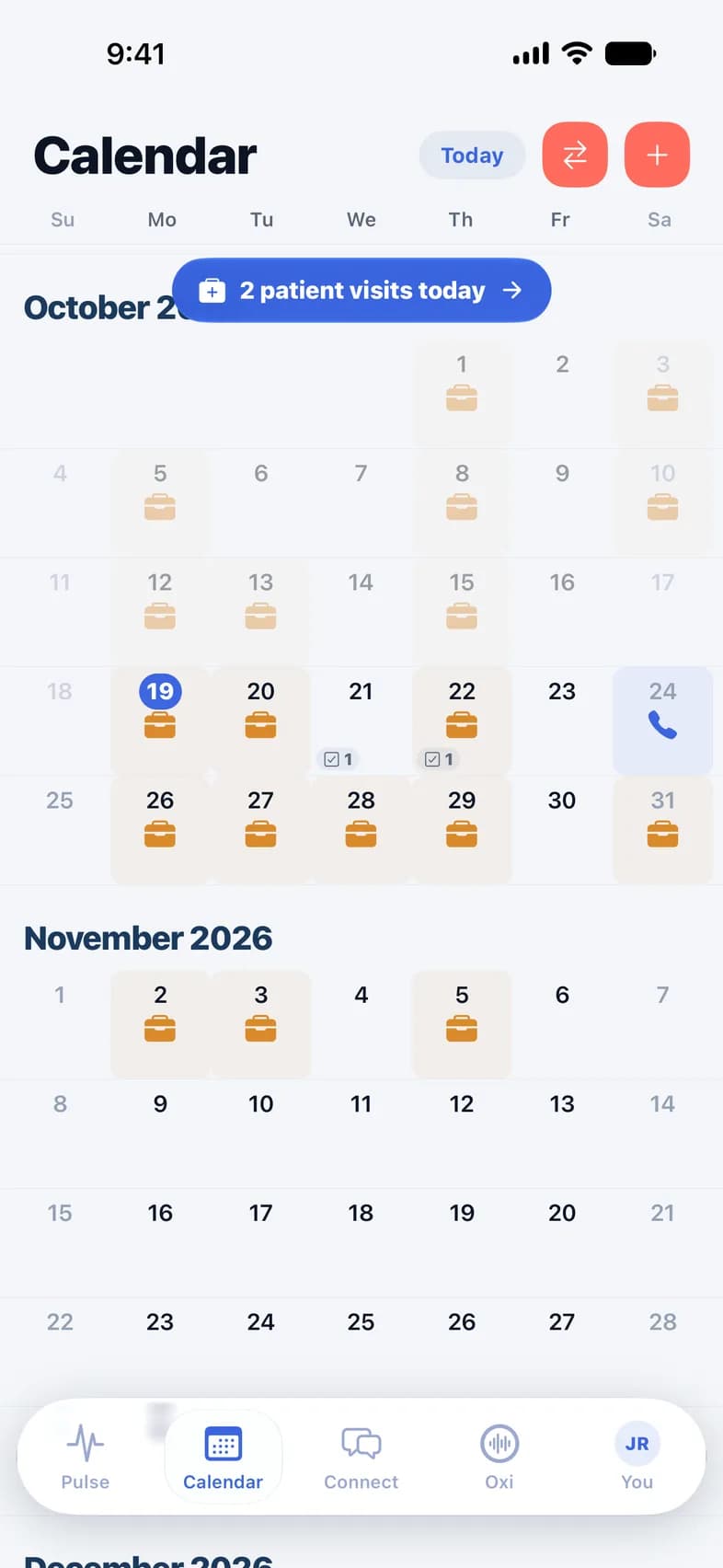
myFHC calendar: October and November with shifts and patient visits

Oxi & Tools

New

Write the note faster. Check the score in seconds.

An assistant that drafts your visit notes and the bedside tools you reach for on every shift — in the same app as your schedule and your patients.

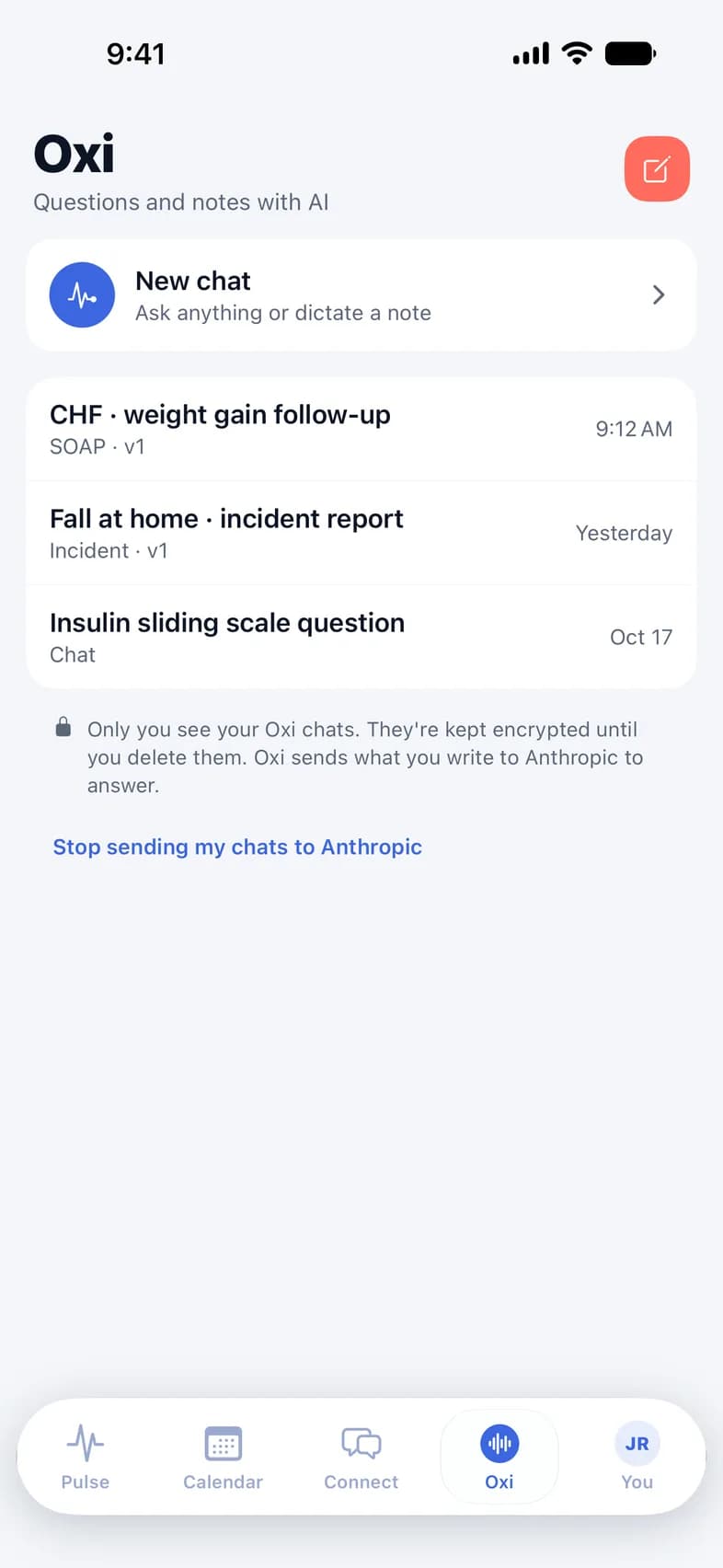
Oxi: a new chat and recent notes — a CHF follow-up, an incident report and a question
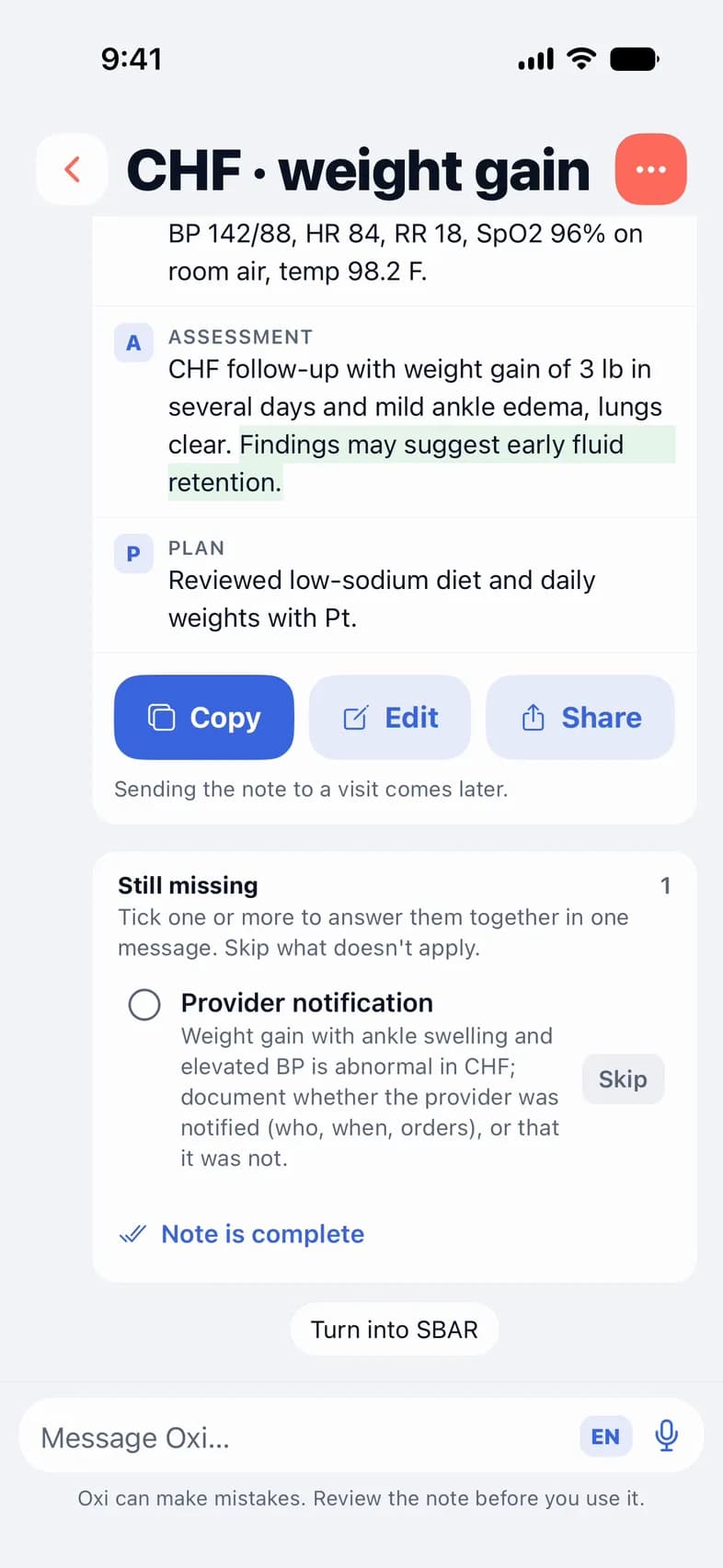
An Oxi SOAP note with Copy, Edit and Share, and the one detail still missing

Oxi · AI assistant

Tell Oxi about the visit. It drafts the note.

Speak or type, in English or Spanish. Oxi writes the note in English and lists what’s still missing.

  • SOAP, SBAR, incident report or narrative
  • Suggests the Tools that fit your patient and adds their results
  • Highlights its own wording so you check it before you copy
  • Ask any clinical question, too

For RN, LPN/LVN and APRN accounts. Oxi asks your permission before it sends anything — it runs on Claude, by Anthropic, under a HIPAA agreement.
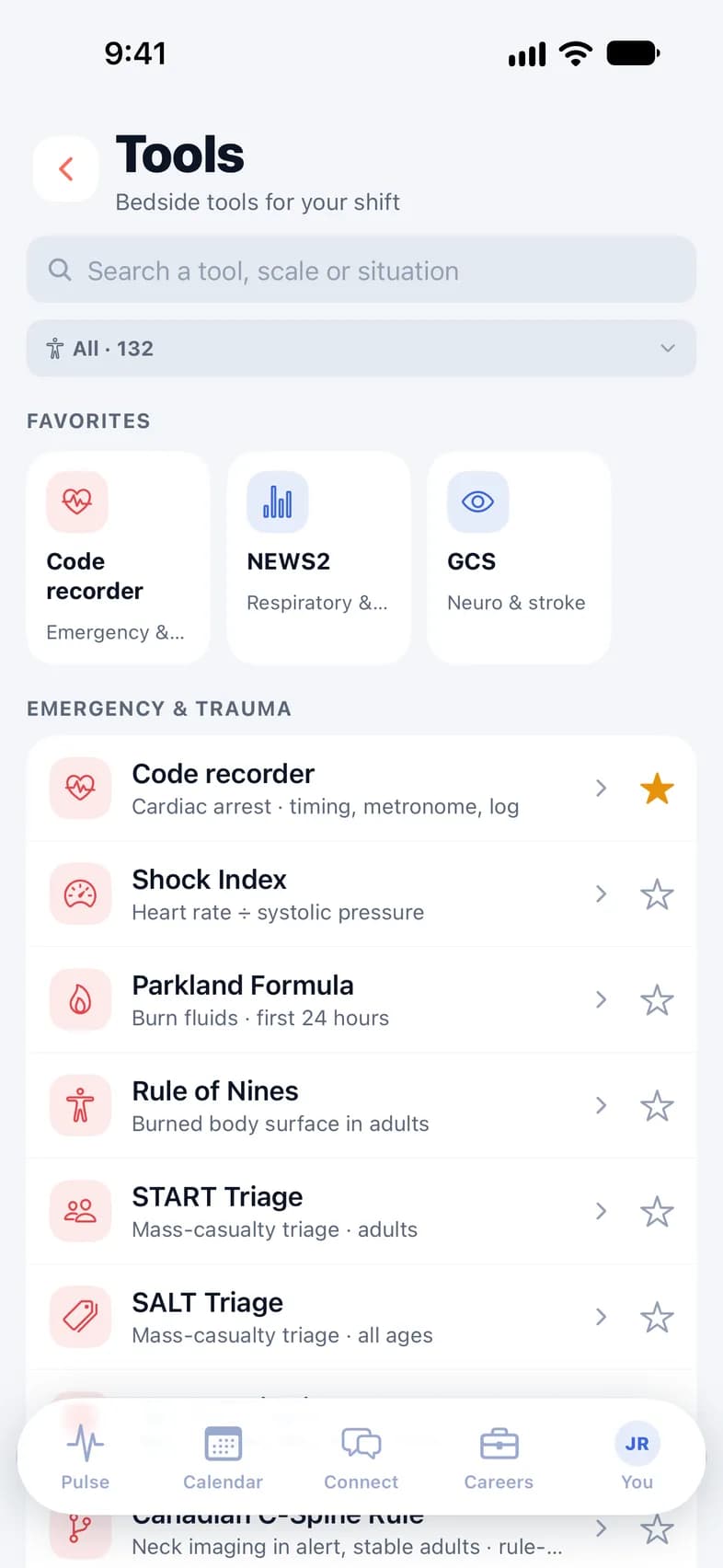
Tools: search, favorites and bedside tools grouped by body system
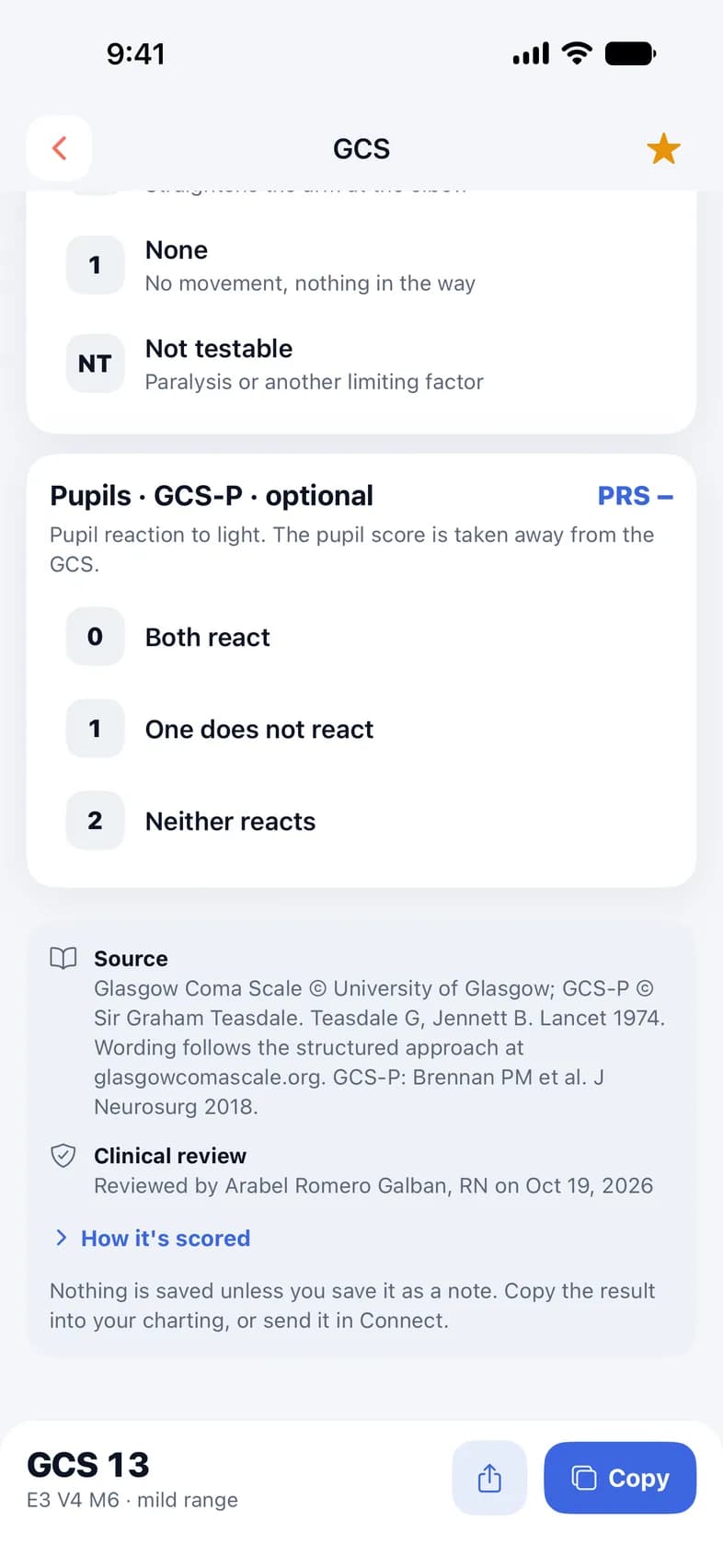
Glasgow Coma Scale tool with its source and FHC's clinical review

Tools · 132 bedside tools

The scales and calculators you use on shift.

A code recorder, GCS, NIHSS, NEWS2, drip rates and more, grouped by body system.

  • Every tool shows its source and FHC’s clinical review
  • Favorites in a sliding strip, and search by situation
  • One clear result to copy into your charting
  • Save it to Notes or send it in Connect, where it arrives as a card

Free for every myFHC account.

Calendar

Every shift and every visit, in one calendar.

Your assignments, shifts and patient visits land on one month view — each with the address, the times and who to report to.

  • Shifts, visits and calls, color-coded at a glance
  • Open a shift to confirm it, say you can’t make it, or clock in and out
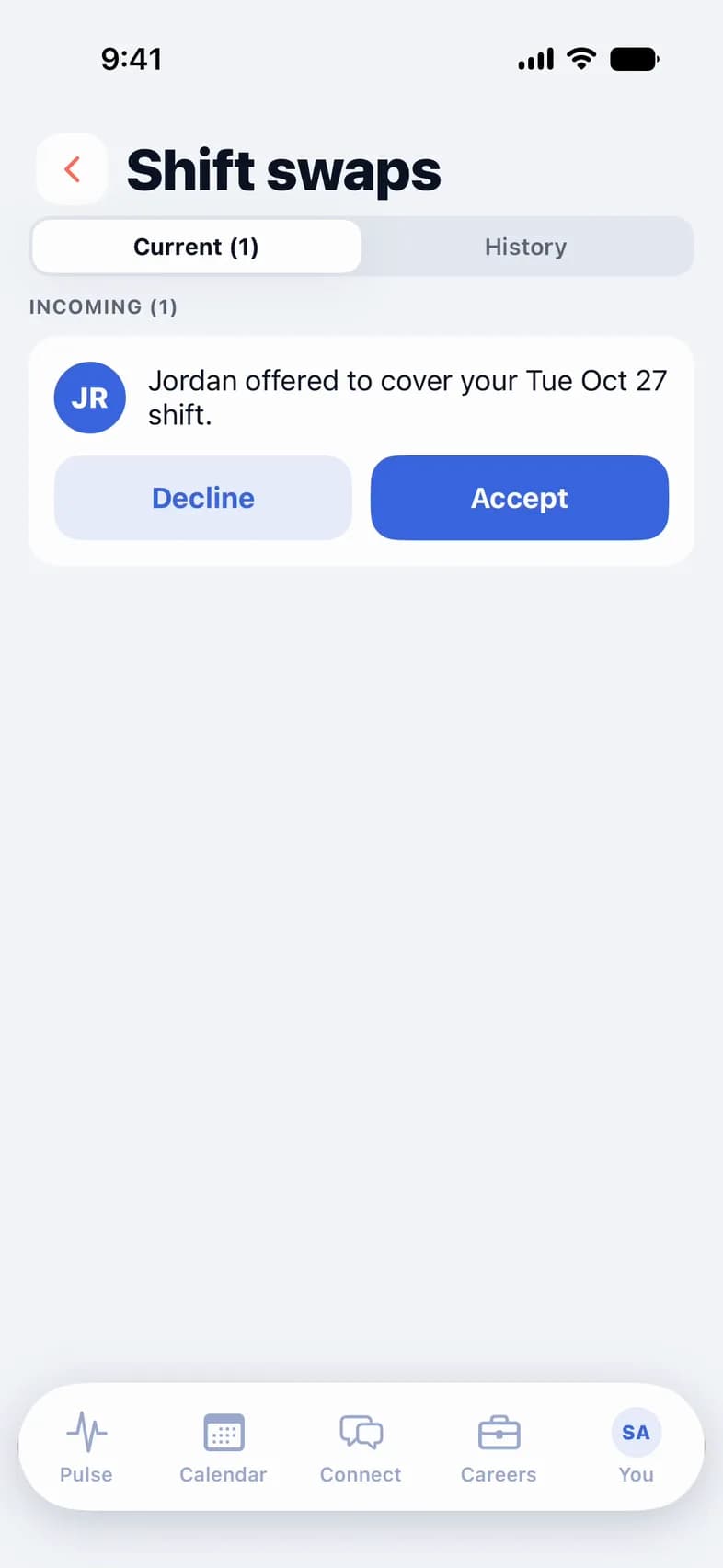
  • Accept or decline the shifts FHC offers you
  • Swap or cover a shift with a colleague, and see a colleague’s calendar
myFHC calendar: October and November with shifts and patient visits
Shift swaps: a colleague offers to cover a Tuesday shift, with Decline and Accept

Point of care

Clock in and chart at the bedside.

Everything you need before you walk in — and a simple flow to document the visit while you’re there.

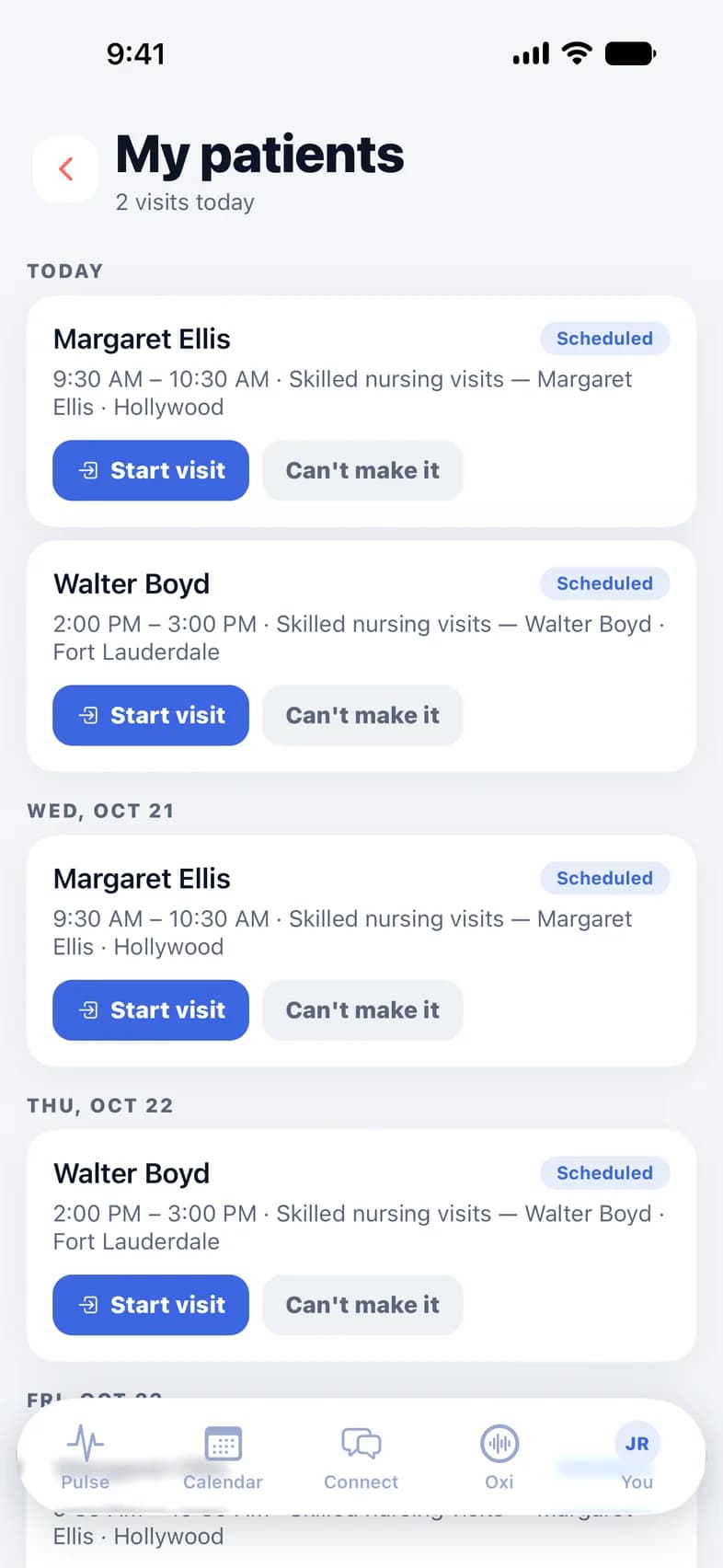
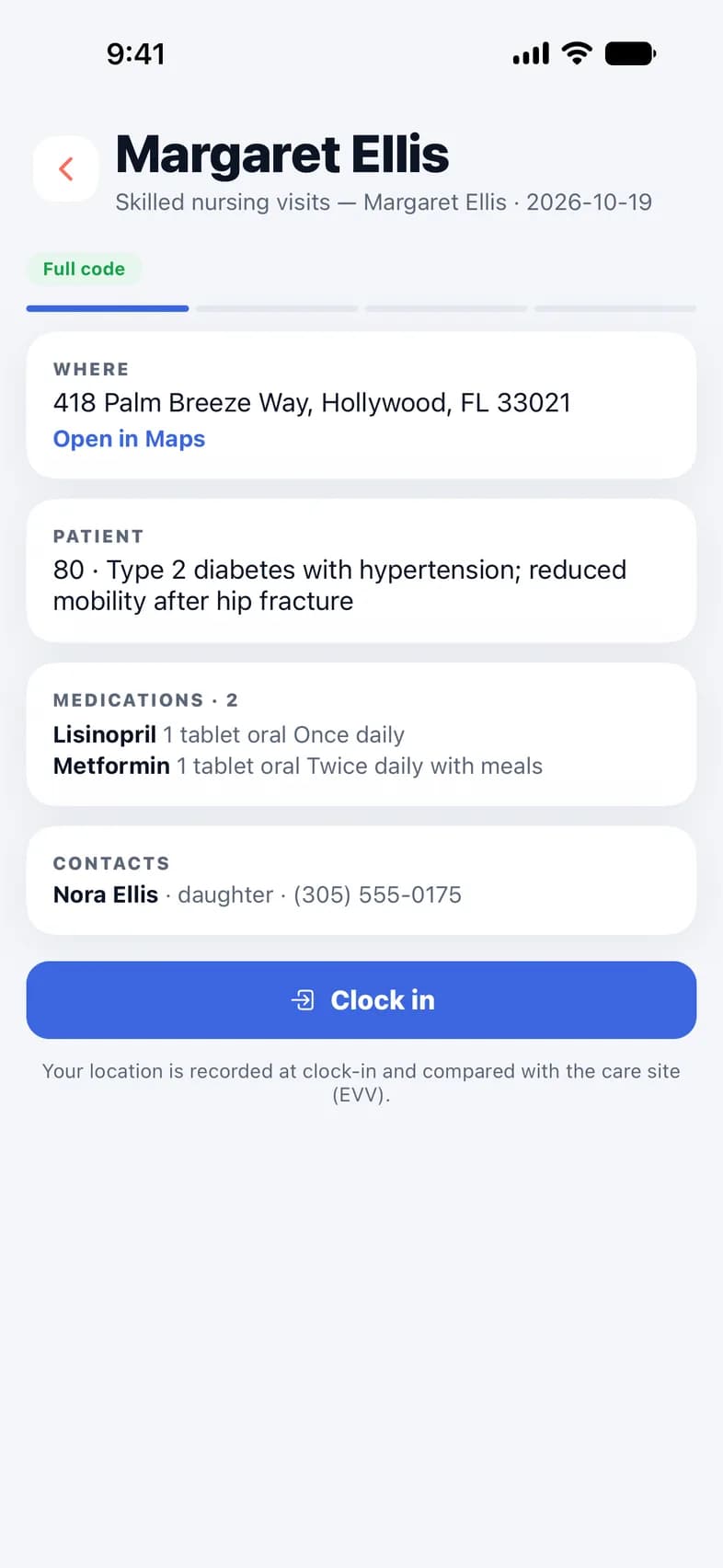
  • Visit brief: address with directions, diagnosis, medications, contacts and code status
  • Clock in and out with location verification (EVV)
  • Tasks from the plan of treatment, vital signs, notes and assessments
  • Signed notes lock — corrections are recorded, never overwritten
My patients: today's visits, each with a Start visit button
A visit in progress: location verified, vital signs and tasks from the plan of treatment

Profile & credentials

New in 1.0.3

Your profile and your licenses, ready when you apply.

Your whole professional profile on one screen, and every license and certification in one wallet.

  • Edit each part of your profile right where it is
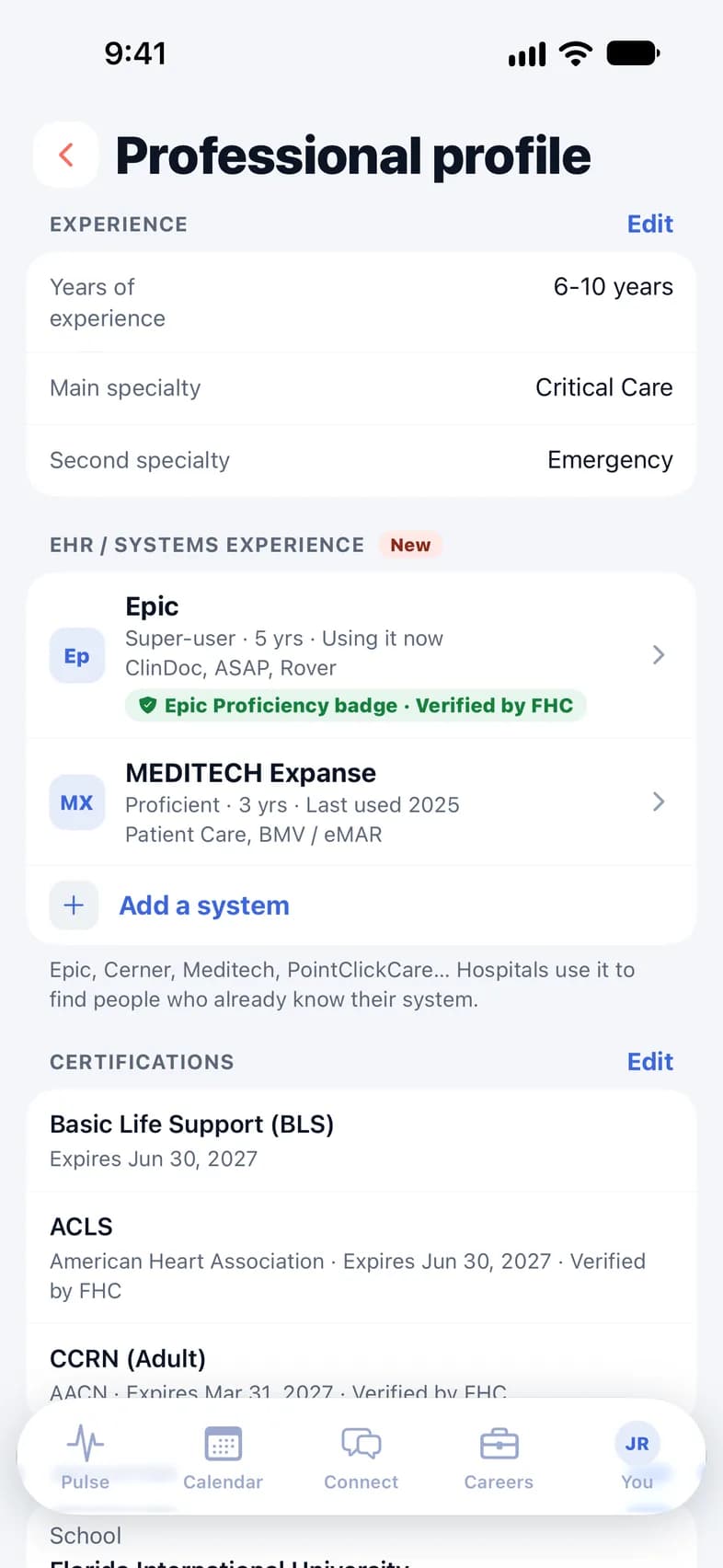
  • Add the charting systems you know — Epic, Oracle Health, MEDITECH, PointClickCare and more — with your level and years
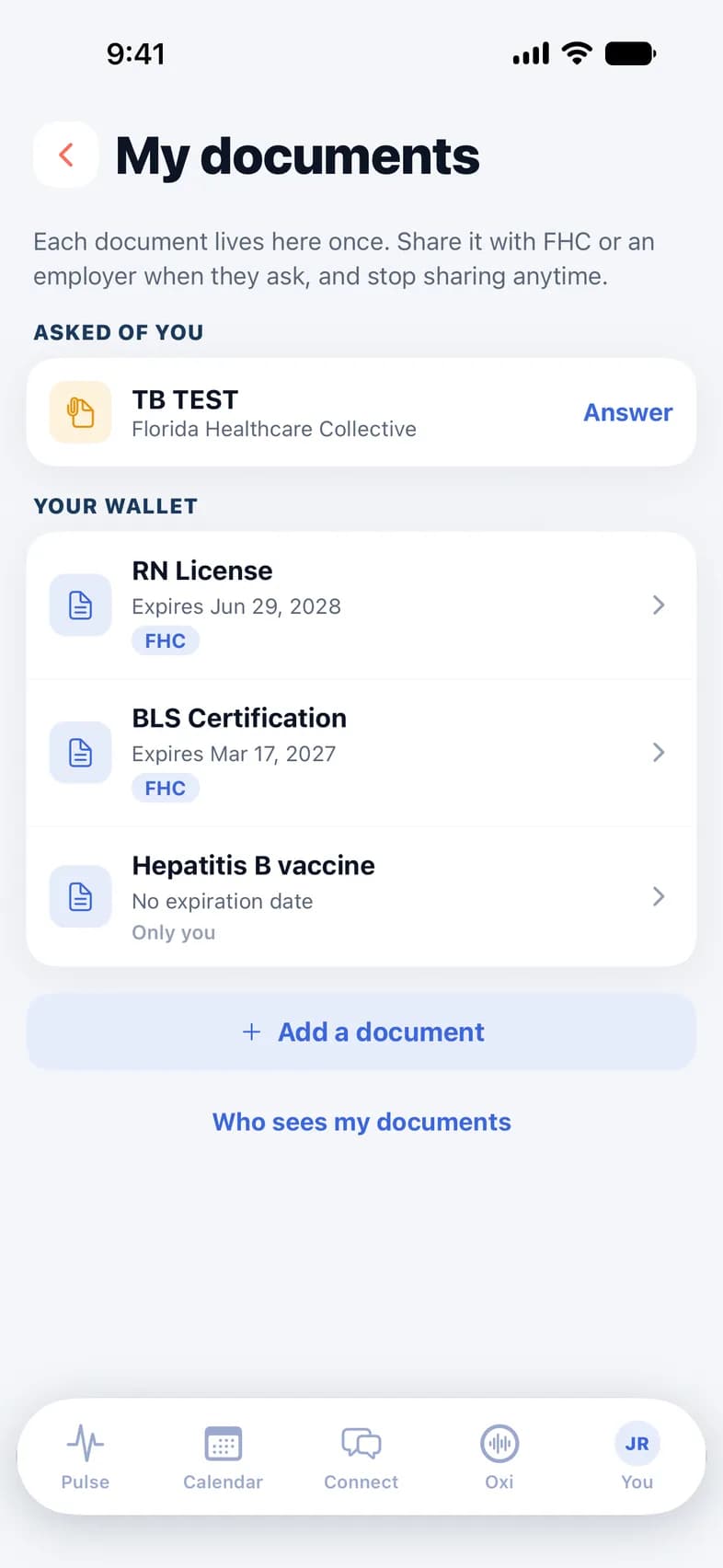
  • Licenses, CPR/BLS cards, TB tests and vaccines in one wallet, expiration dates up front
  • Share with FHC or an employer when they ask, and follow your credentialing progress
Professional profile: the charting systems you know, with your level and years
My documents: RN license, BLS card and a TB test request

Connect

Message your team — privately.

Secure messaging with your colleagues and the office, built for clinical work.

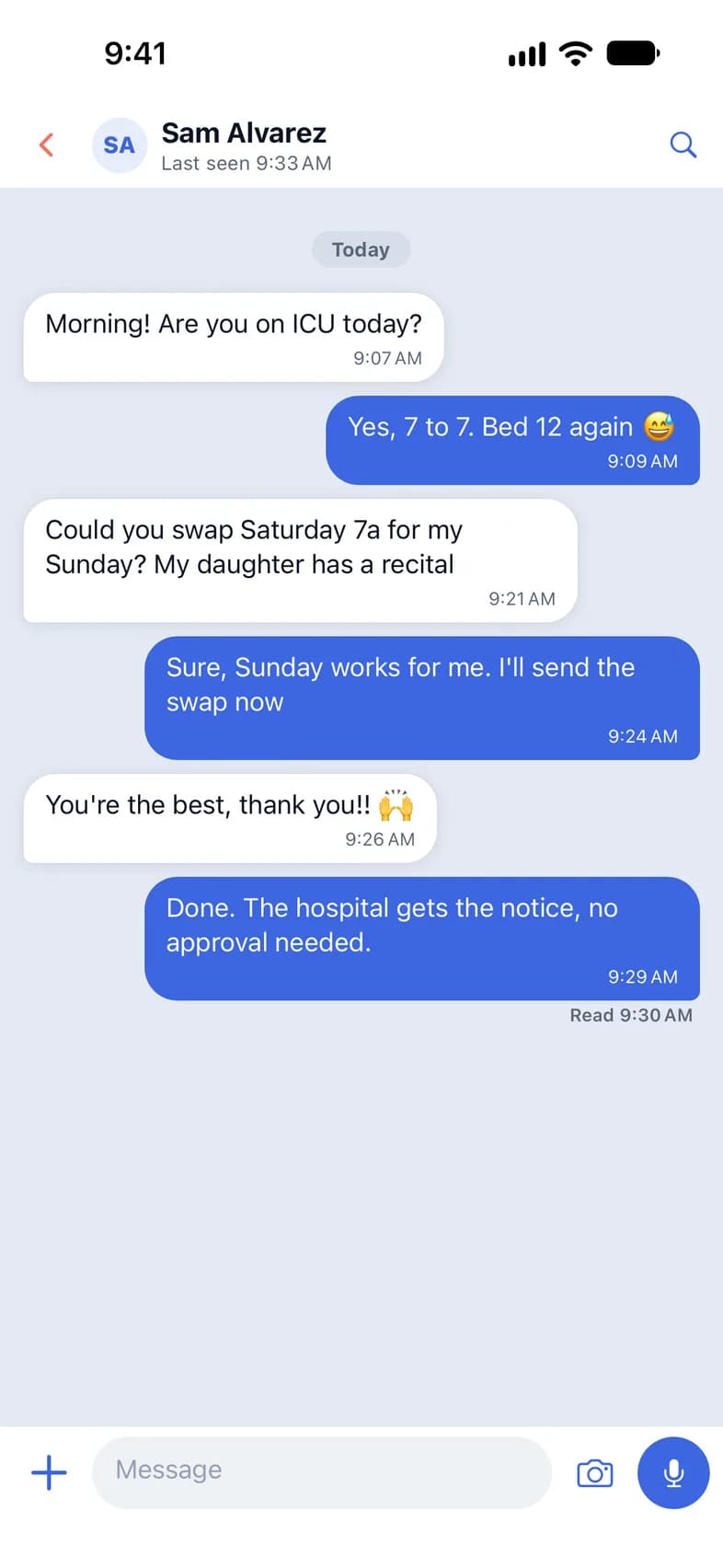
  • One-to-one and group conversations, voice notes, photos and files
  • Screenshots and screen recordings of your chats come out blank
  • Share a task, a note or a Tools result — it arrives as a card
  • Report or block anyone — the office is always reachable
Connect: a private conversation with a colleague

Careers

Find your next assignment.

Browse open positions across Florida and apply with the profile you already have.

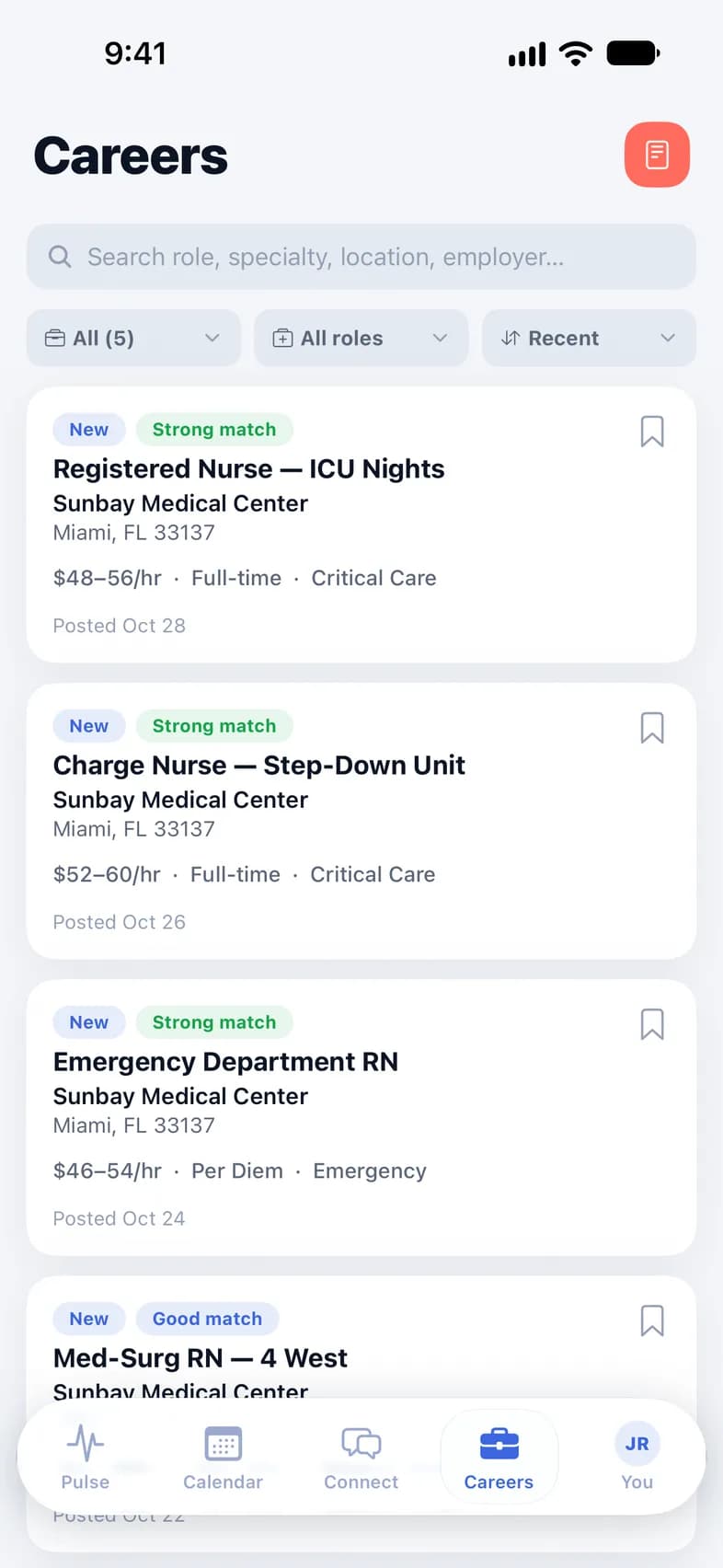
  • Search by role, specialty and location
  • See how well each job matches your credential
  • Save jobs and track every application
  • Message the recruiter from the app
Careers: nursing jobs with match badges

On a computer

New in 1.0.3

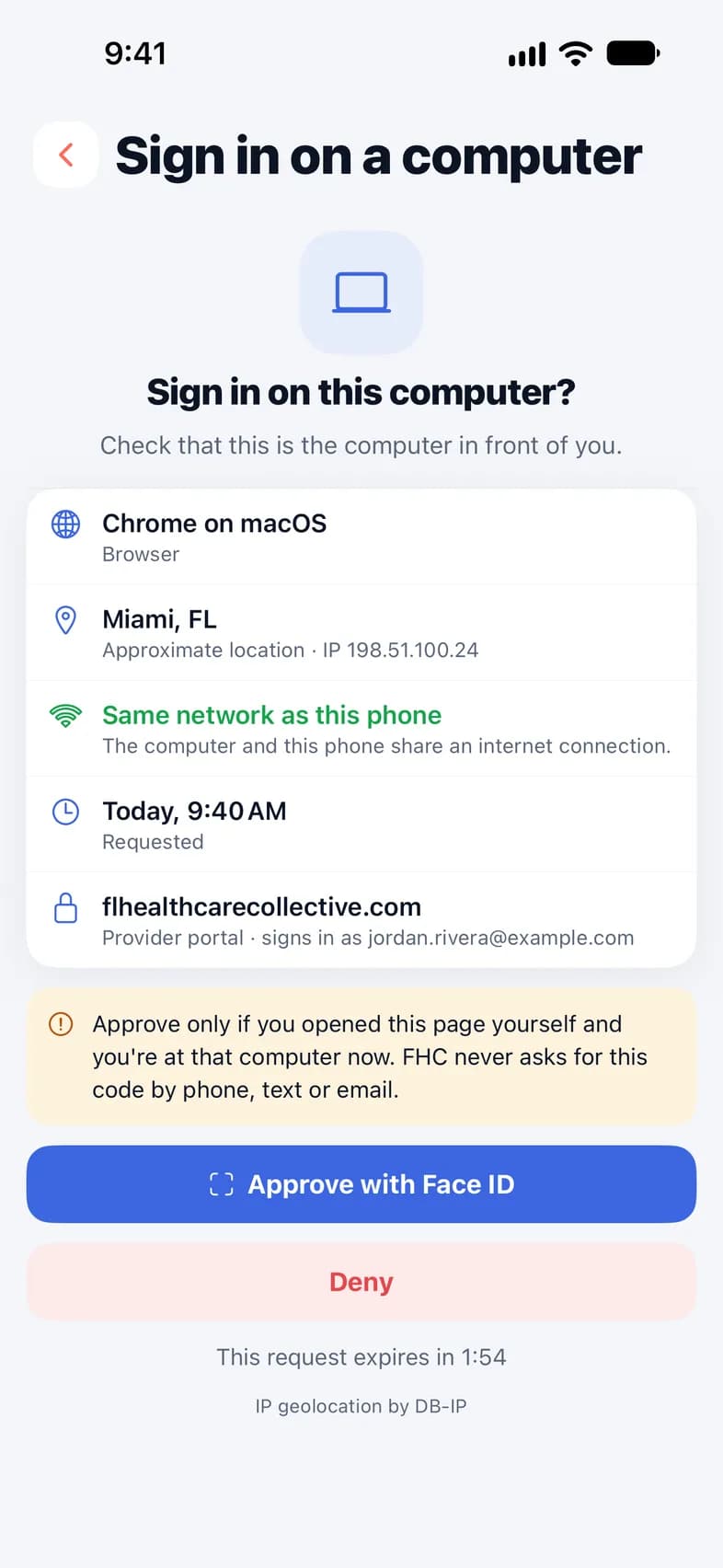
Sign in on a computer with your phone.

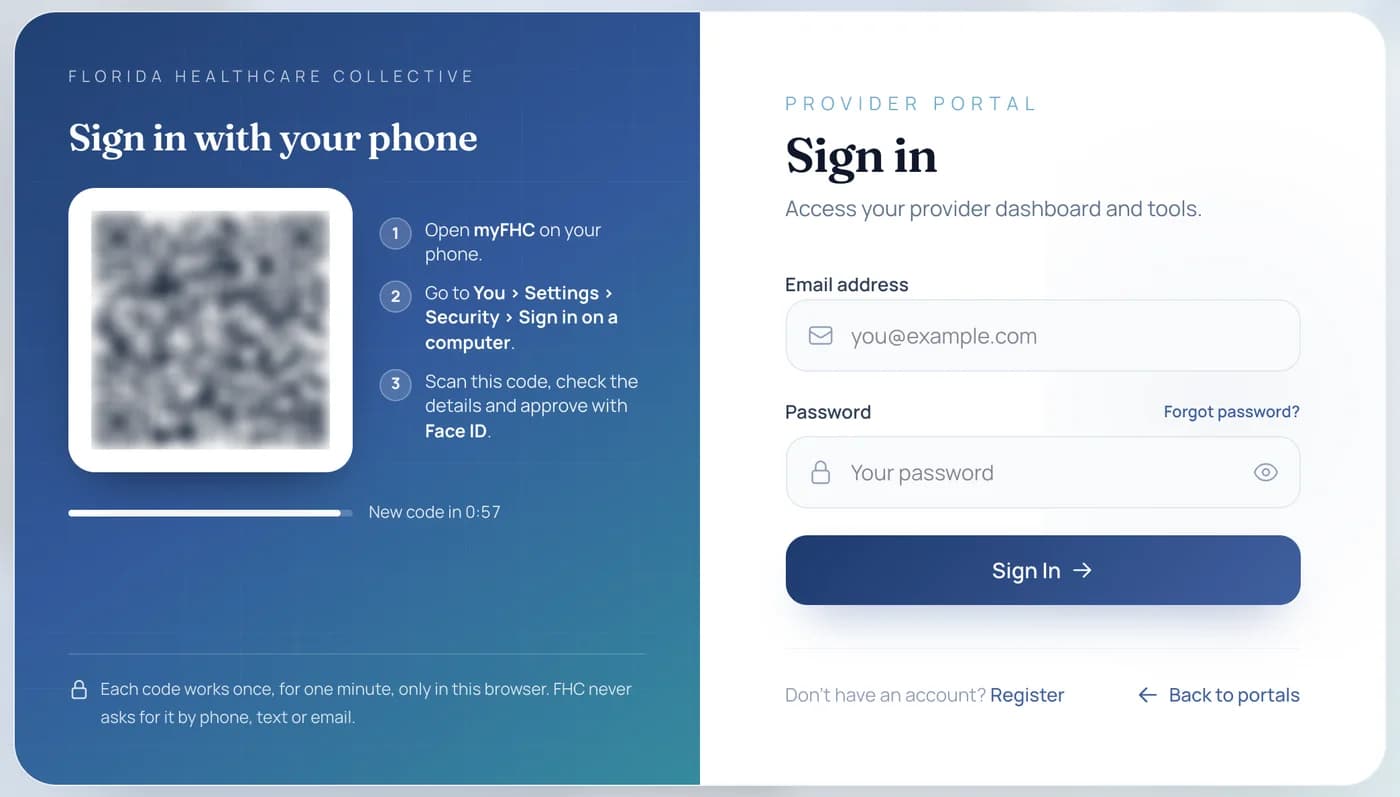
Open myFHC on the web, scan the code with your phone’s camera and approve with Face ID or your fingerprint. No password to type.

  • See which computer is asking — the browser and its approximate place — before you approve
  • A computer in another country is blocked
  • See every browser signed in to your account, and sign any of them out from your phone
  • Oxi and Tools work on the web too
flhealthcarecollective.com/portals/provider/login
The Provider Portal sign-in page with its sign-in code next to the email and password form
Sign in on a computer: the phone shows which computer is asking before you approve

Hospital teams

New in 1.0.3

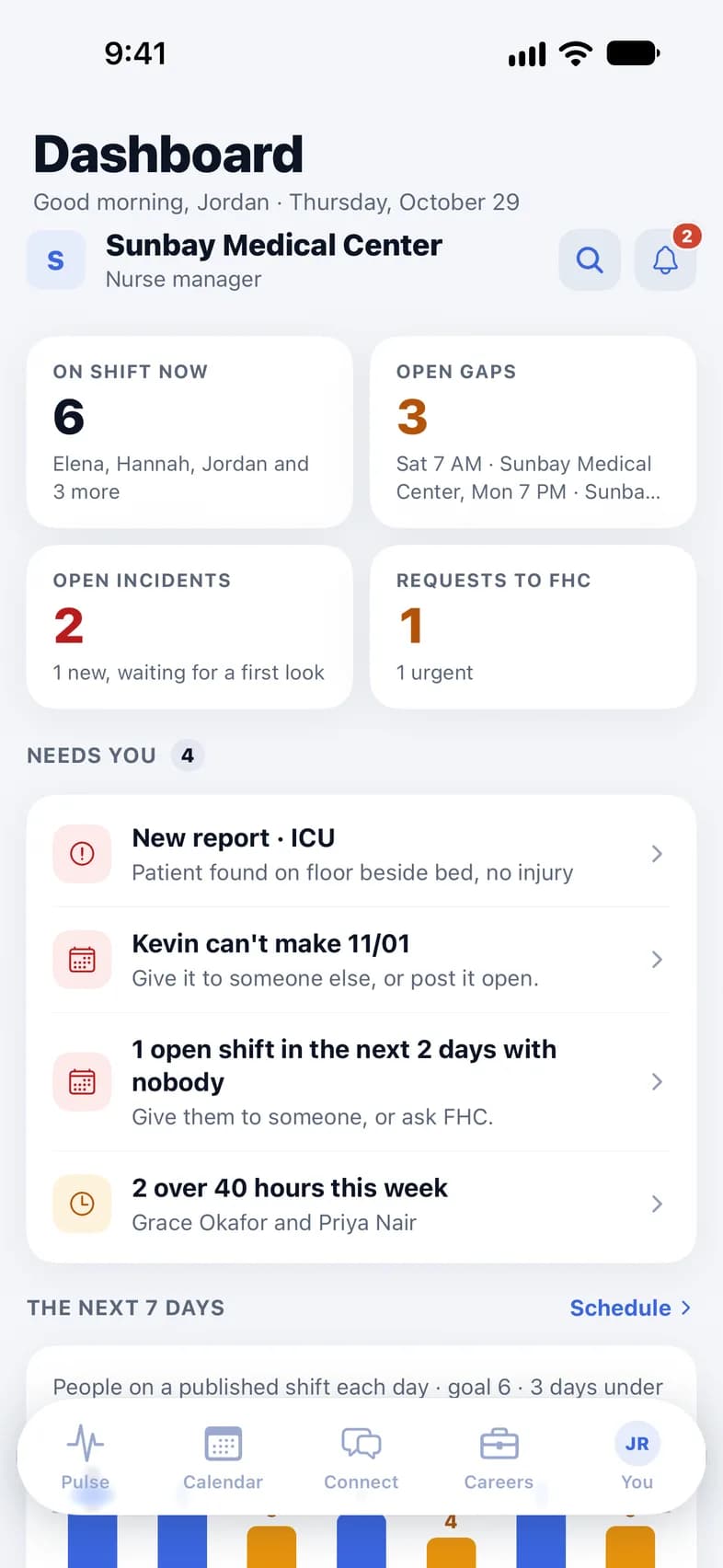
On a hospital’s team? It opens right in myFHC.

Link the hospital from You, and its tools sit next to yours — no second app, no second password.

  • Its Dashboard, alerts and search
  • Scheduling, Incidents, My Staff and documents
  • Its Education — and Careers, when your role includes it
  • Its chats, tasks and notes inside yours, behind a You / hospital switch
A hospital's Dashboard inside myFHC

Keep growing

News, training and your profile — in the same app.

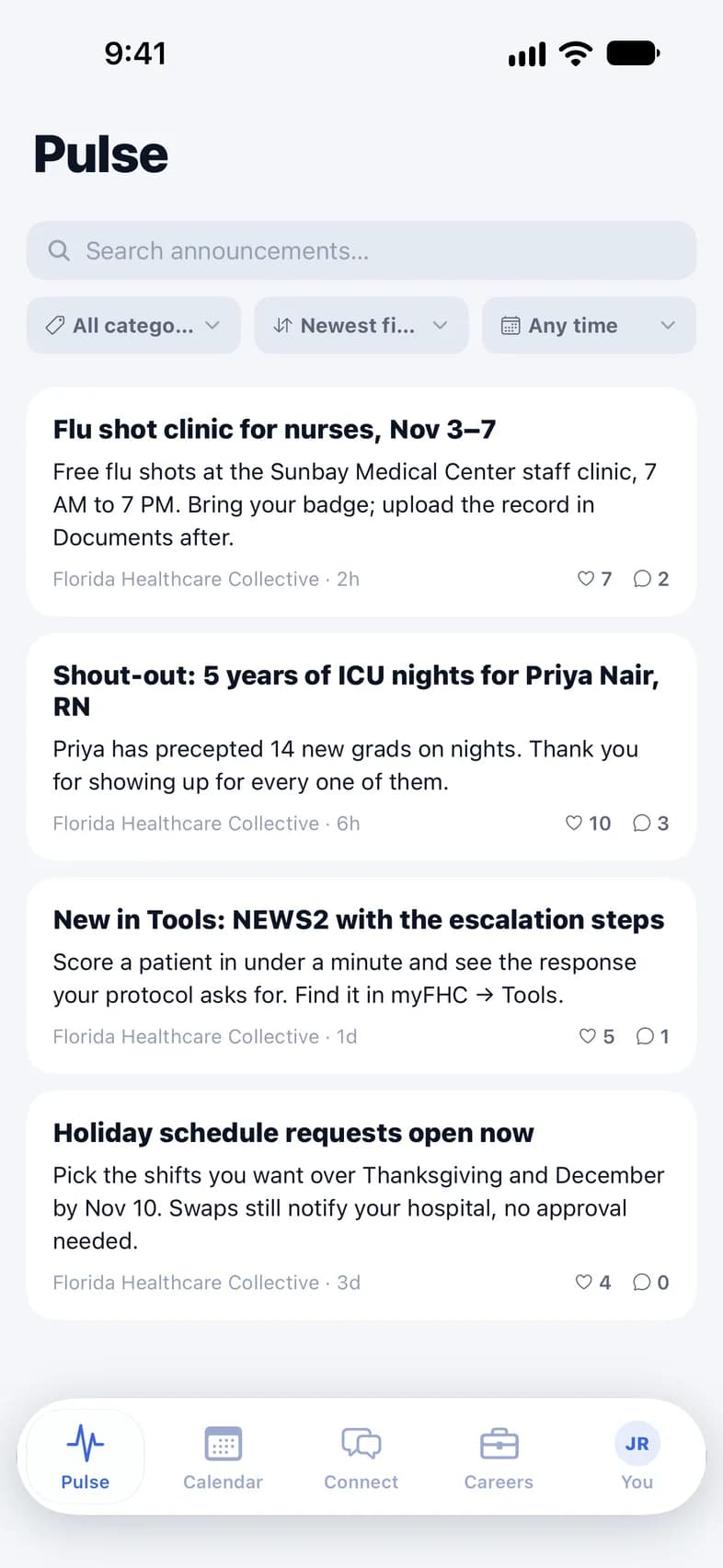
Pulse: announcements from Florida Healthcare Collective

Pulse

Announcements from FHC and your organizations — compliance, clinical and workforce news. Search, like and comment.

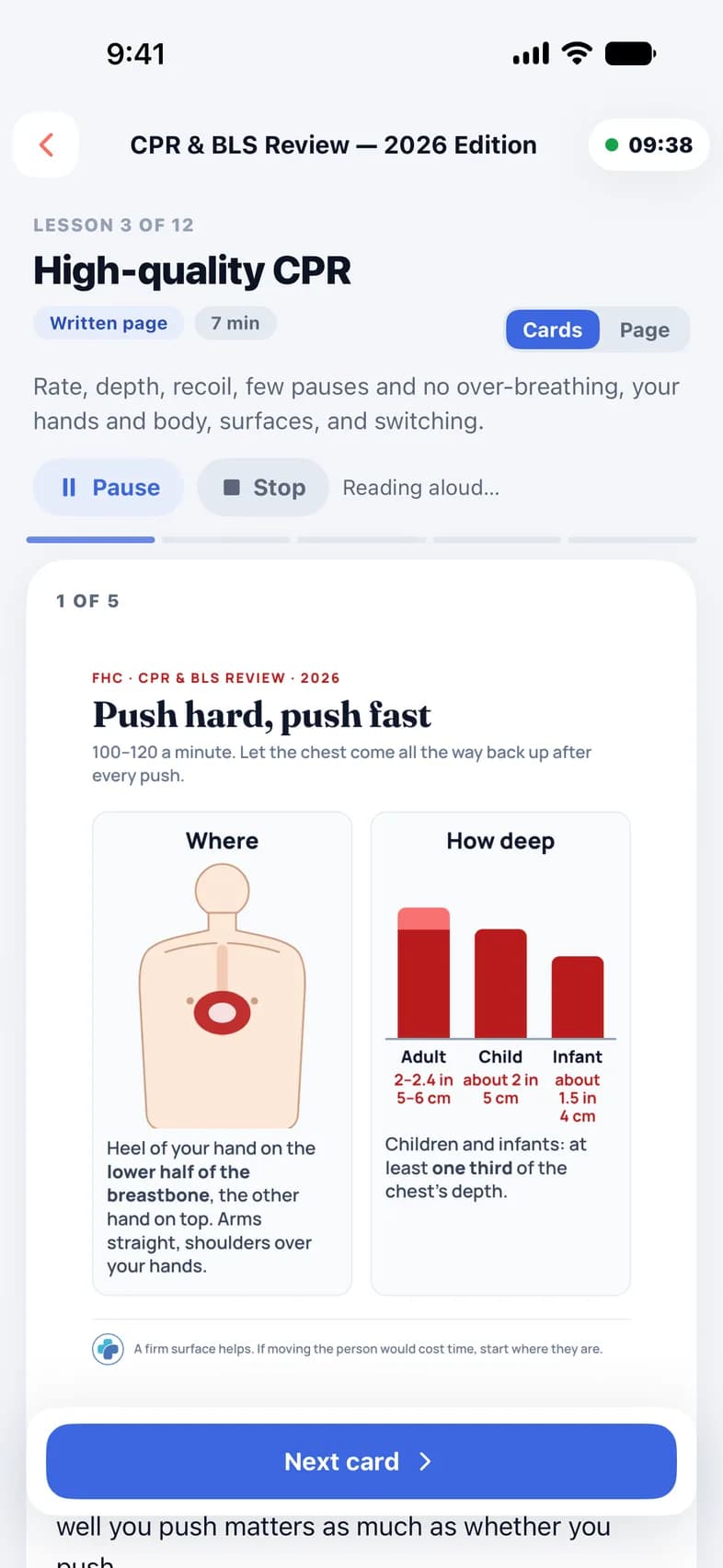
A CPR lesson in Education, being read aloud with Listen

Education

Classes from FHC and your care sites, with due dates and in-service hours on record. Tap Listen to hear a written lesson read aloud.

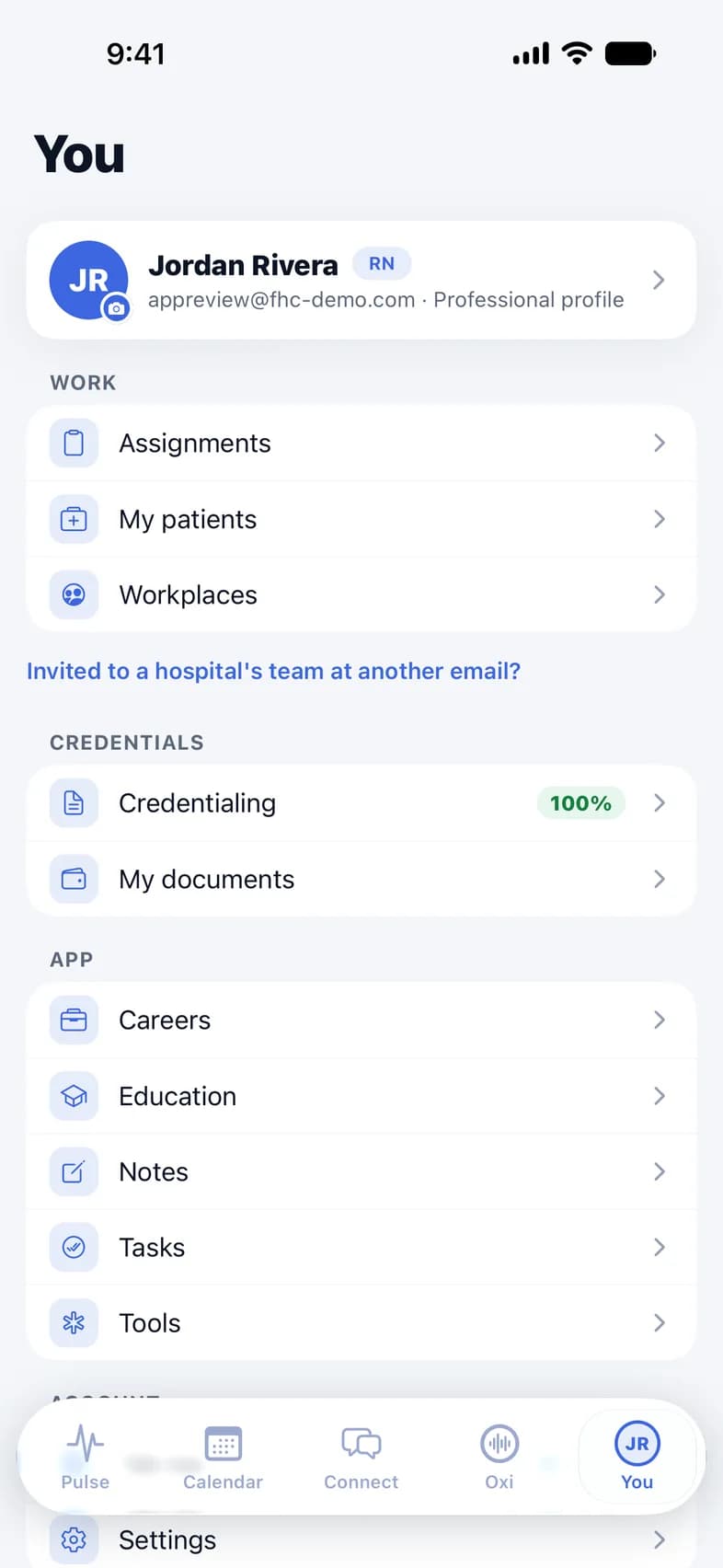
You: profile, work, credentials and the app's sections

You

Your profile, credentialing, workplaces, notes and tasks — and a tab bar you arrange your way.

And more

The details that save you time.

Tasks & reminders

To-dos with due dates, reminders, repeats and folders. Assign one, or get assigned.

Private notes

Your own notes, organized in folders. Share one when you need to.

Stay signed in

After a while away, Face ID unlocks the app instead of signing you out.

Your tab bar

Drag your shortcuts into the order you use them.

Workplaces

Your organizations and care sites, and your unit picked from a list.

Notifications

Choose exactly what pings you, category by category.

Dark mode

Easy on the eyes during night shifts.

Your devices

See every phone and browser signed in, and sign out remotely.

Privacy

Built for clinical work — and for privacy.

myFHC handles protected health information, so the rules are strict by design.

  • Only your patients

    You see only the patients assigned to you.

  • Every access logged

    Each time a record is opened, it is written to an audit log.

  • Location at clock-in only

    Read when you clock in and out — never tracked between visits.

  • Private chats

    Screenshots and screen recordings of your conversations come out blank.

  • Oxi asks first

    Nothing goes to Anthropic until you allow it, and you can withdraw it in Settings.

  • Face ID lock

    Keep the app behind Face ID or your device passcode.

What’s new

Better with every update.

1.0.3

Latest

October 28, 2026

  • Sign in on a computer by scanning a code with your phone
  • Your whole profile on one screen, plus the charting systems you know
  • Oxi suggests Tools for your patient and puts the results in the note
  • Hospital teams: Dashboard, Scheduling, Education, Careers and more in the app
  • No more closing on the first open after an update, and faster chat photos

1.0.2

October 20, 2026

  • Oxi, the AI assistant that drafts your visit notes
  • Tools: 132 bedside clinical tools, each with its source and FHC’s review
  • Private chats: screenshots come out blank
  • A simpler You page and a tab bar you arrange
  • Face ID unlocks the app instead of signing you out

1.0.1

September 29, 2026

  • Listen to written lessons in Education
  • Open a shift to confirm it, decline it, or clock in and out
  • Accept or decline shifts FHC offers you
  • Pick your unit from a list in Workplaces

Get started

Up and running in three steps.

  1. 01

    Download myFHC

    Free on the App Store and Google Play.

  2. 02

    Create your account

    In the app or on the web, then confirm your email with a 6‑digit code.

  3. 03

    Add your professional profile

    Your license, specialty and the charting systems you know. Work with FHC when you’re ready — it’s optional.

FAQ

Questions, answered.

Is myFHC free?

Yes. myFHC is free to download and use — Oxi and Tools included.

Do I need to work with Florida Healthcare Collective?

No. Any nurse or caregiver can create an account. If you take assignments with us, the same app is where you document your visits.

Does it work on Android?

Yes. myFHC is on Google Play for Android 7.0 or later, and on the App Store for iPhone with iOS 16.4 or later.

Is it the same account as the Provider Portal?

Yes. One account works in the app and on the web — and you can sign in on a computer by scanning a code with your phone.

Who can use Oxi?

Nurses: RN, LPN/LVN and APRN accounts. Tools are for every account.

What does Oxi send, and to whom?

Only what you type or dictate in Oxi, the notes it drafts with your edits, and Tools results you add to a note. They go to Anthropic, the maker of Claude, under a HIPAA agreement — and only after you allow it. Dictation is transcribed on your phone; your profile, documents and patient records are not sent.

Who can see patient information?

You see only the patients assigned to you, and every access to a record is logged.

Ready when you are

Log in or create your account.

One account for the myFHC app and the Provider Portal.

New to myFHC

Create your free account

Takes about a minute. Then confirm your email with a 6‑digit code.

Create account

Free · No invitation needed

Already have an account

Log in

Open myFHC on your phone, or sign in to the Provider Portal on the web — with your password, or by scanning the code with myFHC.

Log in

Forgot your password? Reset it from the login page.

Download on the App StoreGet it on Google Play

Free · iPhone with iOS 16.4 or later · Android 7.0 or later

Apple, the Apple logo and iPhone are trademarks of Apple Inc. App Store is a service mark of Apple Inc. Google Play and the Google Play logo are trademarks of Google LLC.